
GPT-Image-2 Dominates Text-to-Image Trends Early 2026
I’ve been watching text-to-image models the way some people watch football: same fixtures, new surprises, and the occasional scoreline that makes you sit up straight. Between January and April 2026, the “Arena Trends: Text-to-Image” snapshot shared by Arena.ai (and reposted by OpenAI) captured exactly that kind of moment.
For most of the period, Google DeepMind and OpenAI reportedly traded the top position within a narrow range—framed as GPT-Image versus Nano Banana—while the rest of the pack clustered below roughly 1,200. Then, as the post notes, GPT-Image-2 “breaks away” with a score of 1,512, opening a sizable gap.
If you do marketing, creative production, or sales enablement, this matters for a simple reason: model quality shifts your unit economics. Better images mean fewer revisions, faster approvals, and more reliable brand output. In my day job at Marketing-Ekspercki, we build AI-assisted automations in Make.com and n8n, and I’ve learned the hard way that small improvements in generation quality can cut real operational costs. When a model becomes meaningfully better, your workflow design changes with it.
This article explains what that Arena trend implies, how you can translate it into practical marketing workflows, and how I’d wire the whole thing into Make.com or n8n so you can ship assets quickly without turning your team into full-time prompt babysitters.
What the Arena Trends post actually tells us (and what it doesn’t)
The source material here is a social post by Arena.ai dated April 21, 2026. It references “Arena Trends: Text-to-Image, Jan 2026 – Apr 2026” and reports a competitive pattern:
- For most of the year, two players jockeyed for first place within a tight margin: Google DeepMind and OpenAI.
- The head-to-head is described as GPT-Image vs. Nano Banana.
- The rest of the field sits below roughly 1,200.
- GPT-Image-2 then “breaks away” with a score of 1,512.
That’s the factual payload we can safely use without inventing details. We don’t have the complete chart, the methodological notes, or the full list of models and scores in your snippet, so I won’t pretend I’ve seen them. Still, even a short update like this gives you a useful signal: there’s a widening gap at the top, and that changes what “good enough” looks like for marketing teams who rely on text-to-image output at scale.
Arena scores: a directional signal, not a gospel truth
In practice, leaderboards and arenas tend to reflect a combination of preference tests, crowdsourced voting, and prompt distributions. That’s valuable, but it’s not the same thing as your internal brand test.
When I evaluate a text-to-image model for client work, I keep two truths in my head at the same time:
- Benchmarks flag momentum. When a model separates from peers, it often means real improvements in prompt adherence, composition, or artefact control.
- Your use-case still wins. If you sell skincare, a model that nails skin texture without uncanny artefacts matters more than one that excels at sci-fi posters.
So treat the “GPT-Image-2 breaks away” story as a nudge to re-test your pipeline, not as an automatic mandate to rip everything out tomorrow morning.
Why “breaking away” matters to marketing teams
For a non-technical leader, it’s tempting to think image models differ mainly in “style”. In real production, the differences show up in predictability, and predictability is what lets you automate.
When a model reliably gives you what you asked for, you can:
- Standardise prompt templates
- Reduce manual designer clean-up
- Run A/B creative tests faster
- Let sales teams self-serve on-brand visuals
- Build repeatable asset generation flows in Make.com or n8n
Three practical marketing implications
Here’s how I translate “top model pulls ahead” into day-to-day impact.
- Lower revision loops: If you currently generate 20 images to get 2 usable ones, a model jump that gets you 5 usable images from 20 changes your throughput overnight.
- Stronger brand consistency: Better prompt adherence usually improves your ability to control lighting, framing, and colour palette—things brand teams actually care about.
- More automation-friendly output: Clean outputs mean you can let automation pick winners using simple heuristics (dimensions, file size, basic visual checks), rather than routing everything to a human.
I’ve seen teams underestimate this. They adopt a text-to-image tool, get some “fun” assets, and stop there because quality feels unreliable. When quality rises, automation becomes sensible, and that’s where the real savings sit.
Text-to-image in 2026: what marketers actually want
Most marketing leaders don’t wake up wanting “a better model”. You want outcomes: more campaign variants, faster localisation, fewer bottlenecks, and creative that doesn’t look like it emerged from a haunted photocopier.
The five outputs I keep coming back to
- Paid social variants (multiple hooks, same brand frame)
- Landing page hero images (clear focal point, readable negative space)
- Email banners (tight crop safety, consistent typography zones)
- Sales collateral (credible product context, not “AI mush”)
- Seasonal refreshes (same composition, new theme)
If a model’s improved score reflects better control over these, then yes—your creative pipeline can become faster and calmer. If the score reflects other advantages (say, artistic flair), that’s still useful, but the business value depends on your channel mix.
How I’d assess GPT-Image-2 for a real marketing pipeline
I can’t run your tests from here, but I can tell you what I’d do with a client next week if they asked, “Should we switch?”
Step 1: Define a small, brutal test set
I’d pick 20 prompts that represent your actual workload, not a beauty contest. For instance:
- 5 prompts for product-in-scene
- 5 prompts for lifestyle portraits (if relevant)
- 5 prompts for abstract brand backgrounds
- 5 prompts for seasonal or event-based creatives
And I’d include constraints you genuinely need: aspect ratios, “leave space for headline”, brand colours, and negative prompts if your tool supports them.
Step 2: Score on business criteria (not vibes)
My shortlist tends to look like this:
- Prompt adherence (did it follow instructions?)
- Artefact rate (hands, text, product geometry, odd reflections)
- Brand fit (palette, mood, compositional rules)
- Editability (can a designer fix it quickly?)
- Throughput (time + cost per usable image)
Once you can measure “usable image yield”, automation becomes straightforward.
Step 3: Decide where it fits: hero, variants, or both
Sometimes the best move is a split:
- Use the top-ranked model for hero assets and high-visibility placements.
- Use a cheaper model for variant generation, internal mockups, or early ideation.
I like this approach because it keeps spend predictable while still letting you benefit from quality where it counts.
SEO angle: what “GPT-Image-2 dominance” means for content velocity
If you build content at scale, images often become the hidden choke point. Writers publish drafts; designers get swamped. The result is a queue, and queues kill momentum.
When your text-to-image system improves, you can:
- Increase publish cadence without increasing headcount
- Refresh old posts with new visuals (a surprisingly effective SEO maintenance tactic)
- Localise visuals when you translate content
- Create consistent OG images for social sharing and SERP presentation
In my experience, the win here isn’t “Google likes AI images”. The win is that you ship faster, you keep posts visually current, and your content looks cared for—signals that correlate with better engagement metrics over time.
Marketing workflows you can automate with Make.com and n8n
This is the part I get excited about, because it stops being theoretical. If you already use Make.com or n8n, you can turn a better image model into a repeatable production line.
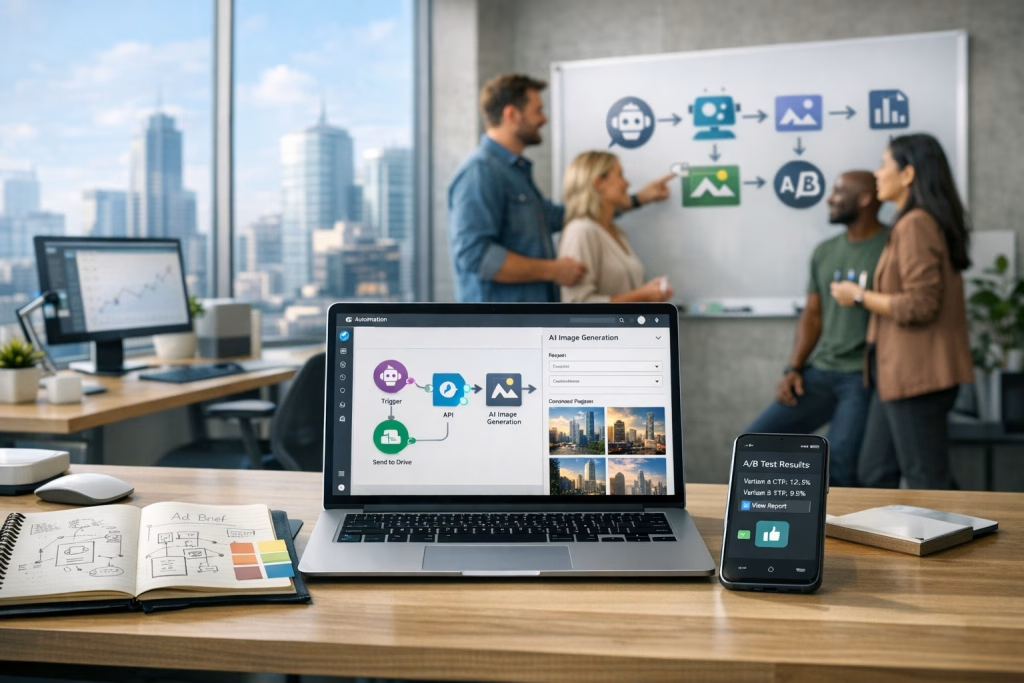
Workflow 1: Blog featured image generator (with brand guardrails)
Goal: generate 3–6 featured image options per article, store them, and notify an editor for approval.
- Trigger: new draft in CMS (WordPress, Webflow, Ghost) or a new row in Airtable/Notion
- Generate prompt: derive from title + excerpt + category + brand style preset
- Create images: call your chosen text-to-image endpoint
- Quality checks: verify file size, dimensions, and basic constraints
- Store: upload to cloud storage (S3, Google Drive) and attach to the draft record
- Notify: Slack/Teams message to editor with thumbnails and approve/reject buttons
I’ve built versions of this where the editor’s only job is to click “Use option B”. Everything else happens quietly in the background, like a good stage crew.
Workflow 2: Paid social variant factory (brief → assets → ad library)
Goal: take a creative brief and generate a set of variants sized for Meta, LinkedIn, and display.
- Trigger: new brief submitted via Typeform/Tally/HubSpot form
- Brief parsing: an LLM converts the brief into 10–20 structured prompts
- Image generation: produce variants per platform aspect ratio
- Optional overlay: add text overlays using a design step (e.g., Cloudinary transformations)
- Approval: route to marketing lead (Slack) and log decisions
- Publish: upload approved assets into your ad library or DAM
Where better models help: fewer “nearly right” outputs means fewer manual edits before approval.
Workflow 3: Sales enablement kit on demand
Goal: let sales reps generate on-brand one-pagers or slides with relevant visuals for a prospect’s industry.
- Trigger: rep selects an industry + offer in a simple internal form
- Generate visuals: industry-safe imagery (no weird logos, no accidental trademarks)
- Assemble document: merge with template in Google Slides / PPTX generator
- Deliver: email + CRM attachment + logging in HubSpot/Salesforce
I’ll be blunt: sales teams will use whatever saves them time. If you don’t give them a controlled system, they’ll pull random images from the internet and hope for the best.
Implementation notes: getting consistent results (without turning prompts into poetry)
I write prompts like I write briefs: clear, structured, and repeatable. Flowery language can be fun, but it doesn’t always produce predictable results.
A prompt template I’ve found reliable
You can store this as a variable in Make.com/n8n:
- Subject: what’s in the image
- Context: where it is / what it’s doing
- Composition: camera angle, framing, negative space
- Lighting: soft studio, natural window, etc.
- Colour: brand palette guidance
- Style constraints: photoreal vs. illustration
- Avoid: common failure modes (warped hands, gibberish text, extra limbs)
If your organisation has brand rules, bake them in once and reuse them. You’ll thank yourself later.
Version prompts like you version code
I keep a simple changelog: “Prompt v7 reduced glossy reflections,” “v8 improved whitespace for headlines,” and so on. It sounds nerdy because it is nerdy, but it stops teams from arguing in circles.
Governance and risk: what can go wrong in automated image generation
With automation, small risks scale quickly. A single bad output becomes 500 bad outputs in a hurry, and then you’re explaining yourself to Legal on a Thursday afternoon. Nobody wants that.
Brand and legal pitfalls I’ve seen in the wild
- Accidental trademarks: model invents a logo that resembles a real brand
- Misleading depictions: product images imply features you don’t offer
- Sensitive attributes: demographic stereotypes in lifestyle imagery
- IP concerns: prompts that imitate a living artist too closely
Controls that work well in Make.com or n8n
- Prompt linting: block disallowed terms and risky instructions before generation
- Human approval gates: require approval for public-facing assets
- Audit logs: store prompt, seed (if available), model version, and output IDs
- Content checks: run image moderation or safety checks if your provider supports it
I treat these like seatbelts: you don’t notice them until you really need them.
A practical blueprint: “AI Creative Ops” for a mid-sized marketing team
If you want to use a top-performing model (like the Arena post suggests GPT-Image-2 is), you need an operating model that doesn’t melt down after week two.
Roles and responsibilities (lightweight, realistic)
- Marketing lead: sets campaign goals and approves final assets
- Creative owner: maintains prompt presets and brand rules
- Ops/automation owner: maintains Make.com/n8n scenarios and monitoring
- Designer: handles high-value manual retouching when needed
Artifacts to keep (so you don’t lose the plot)
- Prompt library by channel and brand style
- Asset taxonomy (names, tags, campaigns, usage rights notes)
- Approval workflow with clear SLAs
- Monthly model review (quick re-test against your 20-prompt set)
I’ve watched teams skip this and then complain “AI is chaotic.” The chaos usually comes from missing guardrails, not from the tools themselves.
How to choose a text-to-image model in 2026 (beyond the leaderboard)
The Arena post points to a performance gap, but your selection should still consider operational constraints.
My selection checklist
- Output quality for your niche: run your own test set
- Consistency: can you reproduce a look across campaigns?
- Latency: does it fit your workflow timing?
- Cost: cost per usable asset matters more than cost per generation
- Commercial terms: usage rights, storage, and policy clarity
- API ergonomics: can Make.com/n8n call it cleanly?
- Safety controls: moderation, logging, and admin features
If you want my blunt take: ease of integration often beats marginal quality gains, unless you sit at very high volume or you depend on premium visuals for revenue.
What I’d do this week if you want to act on the trend
If you came to me and said, “We saw that GPT-Image-2 pulled ahead—what now?”, I’d propose a one-week sprint that keeps risk low and learning high.
Day-by-day plan
- Day 1: define your test set + brand presets
- Day 2: run tests on your current model and the contender
- Day 3: evaluate usable yield and edit time with a designer
- Day 4: build a small Make.com/n8n flow (blog featured images or paid social variants)
- Day 5: ship a pilot and collect feedback from the actual users
By Friday, you’ll have evidence. And you won’t rely on vibes, screenshots, or somebody’s favourite Twitter thread.
SEO essentials for this post topic (if you’ll publish your own take)
If you’re writing on “GPT-Image-2” and text-to-image trends, you’ll want your page to match search intent: people will look for trend interpretation, practical implications, and comparisons—without endless hype.
On-page recommendations
- Use descriptive subheads that include “text-to-image”, “Arena Trends”, and “GPT-Image-2” naturally
- Add internal links to your AI automation services (Make.com / n8n implementation pages)
- Include a short methodology section explaining what your article is based on (a public Arena.ai post)
- Optimise images: AVIF/WebP, descriptive alt text, and consistent Open Graph images
Suggested keywords (use sparingly, write like a human)
- GPT-Image-2
- text-to-image trends 2026
- Arena Trends text-to-image
- AI image generation for marketing
- Make.com AI automation
- n8n AI workflows
I’d also add a short FAQ section on your site (separate page or at the bottom of the post) if you want extra long-tail coverage, but I’m keeping this article clean and readable.
Where Marketing-Ekspercki fits into this
We build marketing and sales automation systems that connect the messy reality—briefs, approvals, CRM records, analytics—into something you can run daily without heroics. Text-to-image sits neatly in that picture.
If you want to act on the early-2026 trend and test a higher-scoring model, I’d set you up with:
- A reusable prompt library aligned with your brand
- A Make.com or n8n scenario that generates, stores, and routes assets for approval
- Tracking so you can see cost per usable asset and time saved
You’ll end up with a system your team can actually live with. And yes, that’s the point.
Final thoughts on the Jan–Apr 2026 shift
The Arena.ai post paints a clear picture: a tight race at the top for much of the period, then a meaningful separation as GPT-Image-2 posts a markedly higher score. I take that as a prompt—no pun intended—to re-check your stack and see whether your current image generation pipeline still holds up.
If you already rely on AI images for production work, improvements at the top end can translate into fewer iterations, cleaner approvals, and smoother automation in Make.com and n8n. If you’re still dabbling, this might be the moment to move from “experiments” to a controlled, repeatable workflow.
When you’re ready, I’m happy to help you build the version that fits your brand and your operational reality—because, frankly, tools are easy. The day-to-day system is where most teams win or lose.