
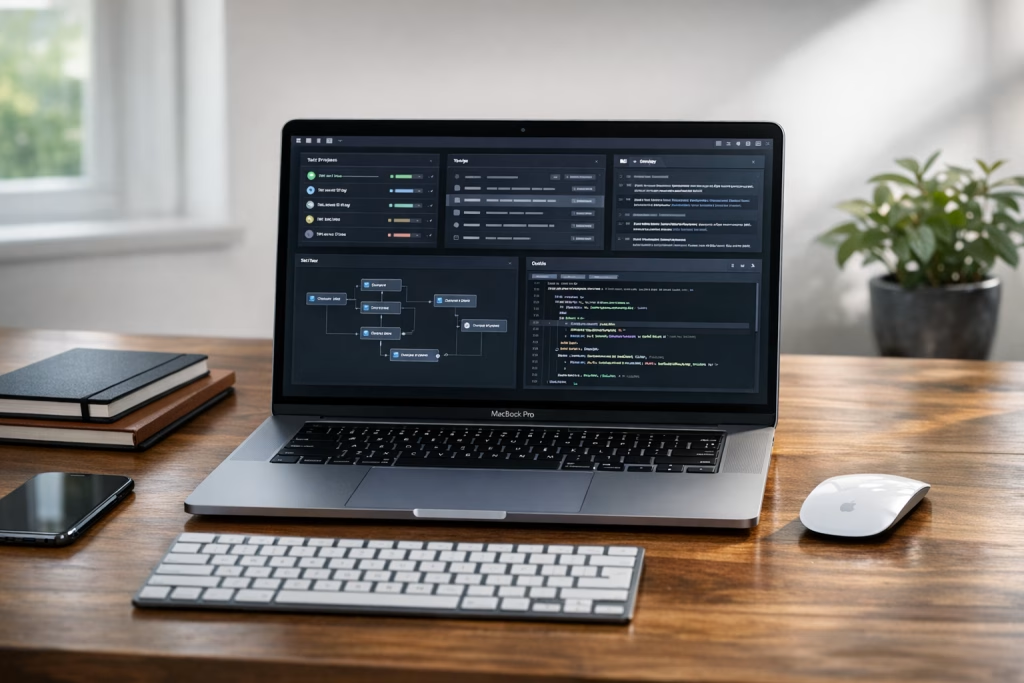
Codex App on macOS: Your Essential Tool for Building Agents
If you build automations, ship product features, or support sales with AI, you’ve probably felt the same pinch I have: ideas come fast, but turning them into reliable, repeatable work takes a proper workspace. OpenAI has announced a new “Codex app”—described as a command centre for building with agents—now available on macOS. That single line already tells you a lot about the direction things are going: away from one-off chats, and towards agent-driven workflows you can steer, review, and reuse.
In this article, I’ll walk you through what the announcement suggests, how to think about an “agent command centre” in practical terms, and how you can connect agent work to real business outcomes—especially if you build in make.com and n8n, like we do at Marketing-Ekspercki. I’ll also flag what we don’t know yet, because guessing product details is a quick way to mislead your team (and your readers).
What OpenAI Actually Announced (and What It Implies)
The source material is brief: OpenAI introduced the “Codex app”—a command centre for building with agents—and stated it’s now available on macOS. There’s also a link to learn more, but the announcement text itself doesn’t list features, pricing, system requirements, or integration options.
So, I’m going to keep us honest:
- Confirmed: OpenAI announced a “Codex app”.
- Confirmed: They position it as a “command centre for building with agents”.
- Confirmed: It’s available on macOS.
- Not confirmed from the provided text: exact feature set, supported models, whether it works offline, whether it supports plug-ins, whether it integrates with Git providers, whether it can run tools locally, pricing, enterprise controls, audit logs, or any roadmap.
Still, the phrasing matters. When I read “command centre”, I think of a place where you’re not just prompting—you’re orchestrating. When I read “building with agents”, I think of task decomposition, tool usage, hand-offs, and repeatability. In plain English: less “write me a thing”, more “run this process with guardrails”.
In Practical Terms, What Is an “Agent” for a Business Team?
People use the word “agent” in a few different ways, and that’s where confusion begins. In our client work, an agent is valuable only when it does three things well:
- Understands an objective (what “done” means, and what constraints apply).
- Chooses steps without you micromanaging every micro-task.
- Uses tools (APIs, files, CRM actions, webhooks, internal docs) in a controlled way.
A simple chatbot can draft. An agent tries to deliver. That difference sounds small, but it changes how you build your systems. You stop thinking in prompts and start thinking in workflows, approvals, and failure modes.
Agent vs automation scenario: where the line usually sits
I’ll give you the rule of thumb I use with teams:
- If the steps are stable and predictable, I push the job into make.com or n8n.
- If the steps vary and depend on context (but still need limits), I consider an agent layer—and then connect it back into Make/n8n for execution and logging.
That’s why a “command centre for building with agents” sounds useful: it suggests a place to manage the messy middle—where reasoning, decision-making, and tool calls meet.
Why a macOS App Matters (Even If You Already Use Web Tools)
On paper, “there’s an app” can sound like a minor detail. In reality, a desktop app can change how you work, because it can simplify a few stubborn pain points:
- Context switching: fewer browser tabs, fewer copy-paste loops, fewer “where did I put that snippet?” moments.
- Local workflows: easier access to local files, logs, and dev tooling—depending on how the app is built.
- Operator comfort: a stable workspace that feels more like a tool and less like a chat window you’re babysitting.
I spend a silly amount of time in macOS apps that act as work hubs—terminal, editor, docs, Slack. An agent workspace that sits alongside those, rather than inside a browser session, can be a genuine productivity boost. Not magic—just fewer frictions.
What “Command Centre” Likely Means for Day-to-Day Work
OpenAI’s wording points to a few operational needs teams already have. I’ll describe them as “capabilities”, not promises, because the announcement doesn’t specify implementation.
1) A place to define agent jobs clearly
In our projects, an agent works best when you give it:
- A concrete goal: “Prepare a sales follow-up pack for lead X”, not “help with sales”.
- Inputs: CRM fields, call transcript, email thread, pricing rules.
- Constraints: wording rules, compliance notes, permitted sources.
- Output format: JSON, a checklist, a ready-to-send email, or tasks to push into Asana/Jira.
A command-centre style app typically helps you structure that repeatedly—so your team doesn’t reinvent the brief every time.
2) A place to monitor what the agent did
The biggest business risk with agentic work isn’t that the AI “gets creative”. It’s that you can’t reconstruct what happened when something goes wrong.
When I design AI automations, I want traceability:
- What tools did it call?
- What data did it use?
- What did it decide, and why?
- Where did it stop?
A command centre suggests visibility. If it delivers even partial auditability, that’s a big deal for teams who operate at scale.
3) A place to reuse patterns (instead of re-prompting)
Most teams don’t need “one brilliant prompt”. They need ten reliable playbooks:
- Lead qualification summary
- Proposal drafting with constraints
- Competitor comparison based on approved sources
- Customer support triage and tagging
- Content briefs and editorial QA
When those playbooks live in scattered docs, quality drifts. A central workspace can help standardise outputs without turning your team into prompt librarians.
How This Fits with make.com and n8n (Where the Real Work Often Happens)
At Marketing-Ekspercki, we rarely let AI “do everything” on its own. We pair it with automation engines because that’s where you get:
- Reliable connectors: CRMs, Google Workspace, Slack, Notion, Airtable, SQL, webhooks.
- Scheduling and retries: runs, queues, error handling.
- Logging: execution history you can actually show to an ops team.
- Approvals: human checkpoints before a message goes out or a record changes.
So, if the Codex app is a command centre for agents, the sweet spot (for many businesses) looks like this:
- Codex app (agent reasoning + job control) →
- make.com / n8n (tool execution + business systems) →
- CRM / ticketing / docs (where results live)
I’m spelling it out because people often flip it and expect Make/n8n to be the “brain”. In practice, Make/n8n excel as the hands: they move data, call APIs, write records, notify humans. The agent can be the planner, as long as you constrain it properly.
Integration patterns we use in real projects
Even without assuming anything about Codex app integrations, you can already design safe patterns around any agent tool that can call HTTP endpoints (directly or indirectly):
- Webhook execution: agent triggers an n8n webhook with a strict payload schema; n8n does the work and returns a result object.
- Queued jobs: agent writes a job request into a database/table; Make/n8n process it asynchronously and write back outcomes.
- Approval gates: agent prepares a draft; Make/n8n sends it to Slack/Teams for approval; only then does the workflow execute the “dangerous” step (email send, CRM update, refund).
- Read-only data access: agent receives curated snapshots from Make/n8n rather than direct access to production systems.
These patterns keep your ops sane. They also make it easier to pass internal security review, which—let’s be honest—often decides whether AI projects live or die.
Use Cases: Where an Agent Command Centre Helps Most
Let’s get concrete. Below are scenarios where a command-centre approach tends to outperform plain chat usage, because the work involves repeatable steps, tool calls, and consistency.
Sales support: follow-ups that don’t feel like spam
Sales teams want speed, but they also need taste. I’ve seen too many AI follow-ups that read like they were written by a polite robot in a hurry.
A better approach:
- Input: call notes + CRM fields + product constraints.
- Agent task: produce 2–3 follow-up email options in the brand voice, with clear next steps.
- Automation task (Make/n8n): fetch CRM data, attach the right case studies, create a draft email in Gmail/Outlook, post to Slack for approval.
I like this split because you control the moment of truth: a human still decides what gets sent, while AI does the heavy lifting.
Marketing ops: content briefs, repurposing, and QA
Content teams don’t just need words—they need process: briefs, outlines, internal links, compliance checks, metadata, and versioning.
A command-centre agent can:
- Turn a product update into a blog outline
- Generate SEO-friendly metadata (title tag, meta description)
- Create a repurposing plan for LinkedIn and newsletter
- Check brand terms and forbidden phrases
Then Make/n8n can push tasks to your project system, bundle assets in a folder, and notify the editor. It’s not glamorous, but it saves hours weekly.
Customer support: triage you can trust
Support teams live on consistency. If you let an AI answer directly without tight controls, you invite trouble. But if you use an agent to prepare responses and classify tickets, you often get a strong win.
- Agent task: summarise the ticket, propose a response, suggest tags, identify urgency.
- Automation task: update the helpdesk fields, route to the right queue, alert on high-risk categories.
I’ve found that the tag quality alone—when it improves—can lift reporting, staffing, and SLA performance. Boring metrics, real money.
Internal ops: reporting, reconciliation, and “paperwork”
Agentic work shines when humans hate the work but still need it done carefully:
- Weekly KPI narratives based on dashboards
- Reconciling lists across tools (with human review)
- Drafting internal SOPs from meeting notes
- Preparing first drafts of client-facing updates
It’s the sort of work that gets pushed to Friday afternoon. AI won’t turn it into poetry, but it can make it manageable.
How to Evaluate the Codex App Safely (A Checklist I Use)
When a new tool drops, people tend to do one of two things: dismiss it instantly or fall in love instantly. I try to do neither. Here’s the evaluation checklist I use with my team so we stay practical.
Security and governance
- Data handling: what data leaves your device, and where does it go?
- Access control: can you manage team permissions and separate environments?
- Logging: can you review actions and outputs later?
- Redaction: can you mask sensitive fields before sending context?
Agent control and reliability
- Tool boundaries: can you restrict what tools an agent may use?
- Output constraints: can you enforce structured output (schemas)?
- Stop conditions: can you prevent runaway loops or repeated actions?
- Error behaviour: when a tool call fails, does it retry sensibly or hallucinate success?
Workflow fit
- Team adoption: does it fit how your team already works on macOS?
- Handoffs: can you pass work from one person to another without losing context?
- Speed: does it save time after week two, not just on day one?
If you can’t answer these points, you can still test the app—but I’d keep it away from production data until you can.
SEO Angle: How to Turn This Announcement into Traffic and Leads (Without Being Shallow)
If you publish content for a living, you already know the trap: you see an announcement, you rush a 400-word post, you get a spike for a day, and then it disappears. I prefer a sturdier approach.
Pick a search intent and commit to it
For this topic, you’ll typically see three intents:
- Informational: “What is the Codex app on macOS?”
- Practical: “How do I use the Codex app to build agents?”
- Comparative/implementation: “How do agents connect to n8n/make.com workflows?”
This article aims at the practical and implementation intents, because that’s where business readers actually act, and where we can offer real depth without making things up.
Build supporting content around one strong pillar
If you run a blog for a marketing automation agency, I’d publish this as the pillar and then add smaller posts that link back:
- Agent + n8n webhook pattern: payload schemas and safety tips
- Human approval design: Slack approval flows and audit trails
- Sales follow-ups: prompts, tone rules, and CRM fields to include
- Support triage: categorisation and escalation rules
That cluster approach tends to age well, and it helps your internal linking naturally.
Common Pitfalls When Teams Start “Building with Agents”
I’ve watched teams trip over the same issues, even very capable ones. If you want the Codex app (or any agent tool) to earn its keep, avoid these traps.
Letting the agent touch production systems directly
If an agent can edit CRM records or send emails without a gate, you will eventually ship something you regret. Keep the agent in a prepare and propose role, and let Make/n8n enforce permissions and approvals.
Skipping structure in outputs
Free-form text feels easy, but it breaks automation. When you want workflows, you want:
- JSON objects with explicit fields
- Fixed templates for emails and briefs
- Validation rules before execution
If you do one thing this week, do this: force structure.
Not deciding who “owns” the agent
Agents sit between departments. Marketing wants faster content, sales wants faster follow-ups, ops wants fewer incidents. If nobody owns the agent playbooks, quality decays. In our projects, we assign an owner per agent workflow—someone who reviews outputs, updates rules, and approves changes.
A Practical Starter Blueprint (How I’d Pilot This in a Real Company)
If you want to pilot the Codex app on macOS sensibly, here’s a small plan you can run in two weeks. It doesn’t require heroics.
Week 1: pick one narrow workflow
- Choose a use case: sales follow-up drafting, ticket triage summaries, or content brief generation.
- Define success: time saved per item, quality score, fewer revisions, faster response.
- Define boundaries: what data it may see, what it must never do.
Week 1: build the automation shell in n8n or Make
- Input collector: fetch CRM/ticket fields and sanitise them.
- Agent call step: send a clean, minimal context payload.
- Approval step: Slack/Teams message with buttons.
- Execution step: write drafts back to tools, not direct sends.
- Logging: store inputs + outputs + timestamps.
Week 2: run, review, refine
- Run 20–50 items through the workflow.
- Review failures and tighten constraints.
- Create a short SOP so the team uses it consistently.
That’s it. No theatre. You’ll learn more from 30 real runs than from three days of “agent strategy” slides.
What You Should Watch For Next
Because the announcement is short, the most responsible move is to watch for the details that will determine whether the Codex app becomes a daily driver for teams:
- Integration options: APIs, callbacks, tool execution model, and whether you can connect it cleanly to Make/n8n.
- Team features: role management, shared projects, standard templates.
- Auditability: logs, exports, and review tools.
- Cost model: how pricing aligns with frequent, tool-heavy usage.
I’ll be candid: if the app focuses only on solo developer workflows, it may still be useful, but it won’t automatically solve business operations. If it supports disciplined team workflows, it could become a strong part of an AI operations stack on macOS.
How We Can Help You Put Agents to Work (Without Chaos)
At Marketing-Ekspercki, we build AI-assisted marketing and sales systems that actually run on Monday morning, not just in a demo. If you want to connect agent work to your everyday tools, we usually start with:
- A workflow map (what happens now, where mistakes happen, and where humans must approve)
- An automation build in make.com or n8n with logging and retries
- An agent layer that drafts, classifies, and proposes—under strict constraints
If you tell me what tools you use (CRM, helpdesk, content stack) and what your team produces every week, I can suggest one pilot workflow that delivers value quickly and stays safe.