
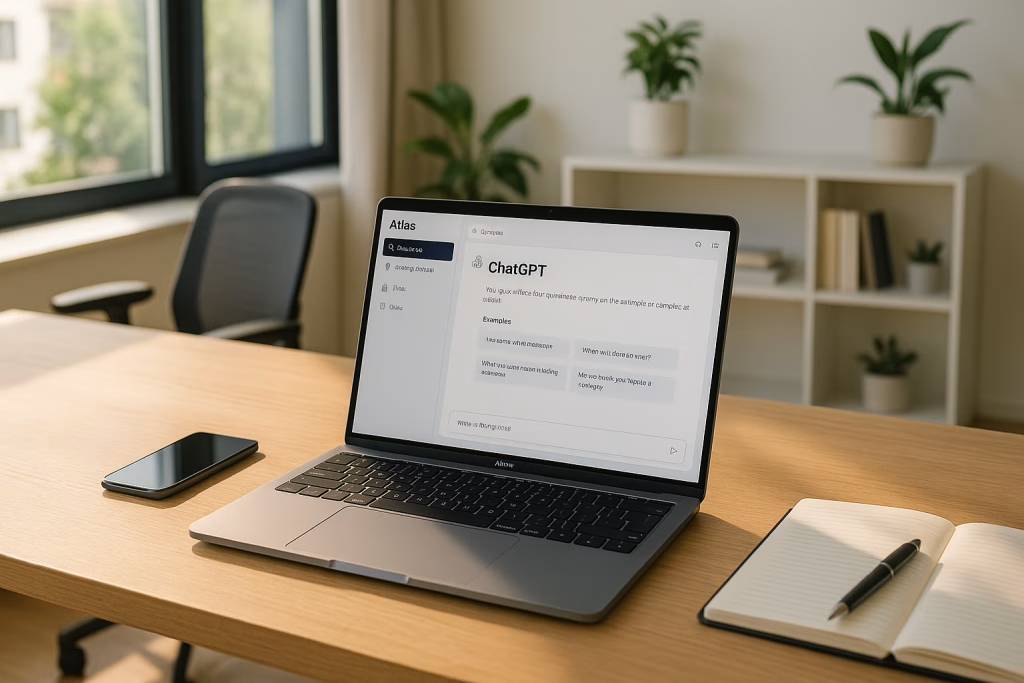
Atlas Browser Brings AI Assistance Directly Into Your Web Experience
For as long as I can remember, browsers have been my trusty windows to the sprawling world of the internet. Over the years, I’ve watched them change and update, adding new features here and there. But, if I’m honest, most of those changes never really made me pause and think, “Hang on, am I seeing something truly new?” That changed when I discovered Atlas. Suddenly, I wasn’t just clicking through tabs or copying links to shove into some chatbot. Instead, my browser had grown a brain—one that could both understand and collaborate with me. Curious? Let’s take a thorough look at why Atlas could be the next leap in how we use the internet.
Rethinking Browsers: The Spark Behind Atlas
If you’re like me, you probably first heard whispers of Atlas in late 2025, when Ben Goodger and Darin Fisher, both names engraved in the Internet’s hall of fame for projects like Chrome and Firefox, sat down with Andrew Mayne to talk shop. Their basic gripe? Browsers haven’t kept pace with the wild complexity of the modern web. The old deal—simply showing you pages—just doesn’t cut it anymore.
So, what if the browser was more than an observer? What if it actually understood what you see and want to do? That’s how Atlas was born. It’s an idea that feels obvious in hindsight, but, oh boy, the difference it makes in daily workflows is striking.
What Sets Atlas Apart?
Let me put it plainly: Atlas isn’t just another browser with a chatbot glued on the side. You don’t get a half-hearted attempt at AI tacked onto the bookmarks bar. Instead, from the moment you launch Atlas, ChatGPT is right there at the centre, greeting you with familiar wit. It isn’t an accessory—it’s the core of your web experience.
Built Around AI, Not Beside It
I love how, with Atlas, AI isn’t lurking in the background, waiting for me to throw it some copy-pasted text. On any page, I can just summon ChatGPT and ask for:
- Summaries of dense reports
- Key trends spotted in the latest market analysis
- Step-by-step instructions based on what I’m viewing
- Tailored email replies crafted from my reading material
Everything’s fluid—no more frantic tab switching or “find and replace” chaos between tools. I get to keep my train of thought, and let’s be honest, I need all the help I can get with that these days.
The „Always-On” ChatGPT Assistant
The game changer for many users, myself included, is how consistently available ChatGPT’s support feels in Atlas. It doesn’t matter if I’m ploughing through a massive research paper or scanning a competitor’s landing page for juicy insights. All I need to do is drop a question:
“Alright, what are the three biggest takeaways from this report, and how might they affect our current project?”
In seconds, I’ll see just what I needed—no guesswork.
Browser Memory and a More Personal Web
I’m notorious for losing track of what I was doing last week. With Atlas’ browser memory, that headache is on its way out. The browser notices when I’m comparing CRMs or when I left off searching for hotels, then nudges me when I re-enter that rabbit hole. Best thing? I get to decide just how much it remembers, archive anything I want, or wipe it clean—so I’m never handing over the keys to my entire digital life.
Agent Mode: Automation That Feels Natural
This is where Atlas really begins to flex its capabilities. In Agent Mode, the AI can:
- Scan and compare flight options
- Book hotels and restaurants
- Gather prices from competitors
- Build analyses or summaries for presentations
All this unfolds with you watching and retaining full control, rather than the browser running off and making decisions on your behalf. If you’re like me, a small control freak clinging to their task manager, that transparency is a lifesaver.
The Backbone: Chromium Roots with an Open Future
Atlas is built atop the open-source Chromium platform—the very same engine under Chrome and various other modern browsers. That presents a definite upside:
- Stable and swift browsing (no stalling out when ten tabs are open!)
- Endless opportunity for upgrades and extensions
- Security benefits baked right in
I’ve always found Chromium’s structure reassuring—a sort of comfort blanket for those of us haunted by memories of the spinning hourglass of doom.
My Atlas Experience: From Overwhelmed to Organised
Let me paint a picture of my old workflow. Imagine stacks of open tabs—half of them duplicates, because who can remember what’s hiding in tab #29? My day would be a jumble: copy something out of a web app, paste it into ChatGPT, switch back, lose my place, throw in some grumbling for good measure. Wash, rinse, repeat.
Once I switched to Atlas, I genuinely felt like someone had turned down the noise. Now, ChatGPT has real-time access to what I’m viewing. I can get it to dissect a long spreadsheet for me, explain the data, even create a pie chart because—let’s face it—visuals make things just that bit clearer. The redundancy, the loss of focus, the friction, all of it faded. Instead, I spent more time on actual thinking and less on digital busywork.
Privacy and Security: My Data, My Call
Of course, all these smart features raise eyebrows about privacy. Atlas tackles this upfront:
- Browser memories—opt-in only, with complete control to archive, review, or delete
- Explicit consent before Agent Mode does anything sensitive, like filling in forms or making bookings
- Granular access—I decide which sites the browser can 'see’ with its memory functions
In my testing, I felt in charge at every turn—not once did I worry about losing my grip on what the AI knew or remembered.
Who Is Atlas For?
The short answer: anyone handling big chunks of information for a living, whether you’re a researcher, project planner, business analyst, or content creator. Given that the base version of Atlas is free for macOS users (with Windows, iOS, and Android on the horizon, by the way), there’s not much standing in your way if you’re curious to give it a go.
Here’s the practical bit:
- Release date: October 21, 2025
- Platforms: macOS for starters; others in development
- Payment model: Free version plus a paid “Agent Mode” requiring ChatGPT Plus, Pro, or Business tier
- New features dropping in, like:
- Vertical tabs (makes my inner neat freak very happy)
- Smarter file download management
AI-Powered Browsing, Day-to-Day
Let me walk you through a typical use case—one that felt downright liberating the first time I tried it. Imagine I’m deep into preparing a market analysis. Normally, it’s back-and-forth:
- Read the PDF report. Groan at the length.
- Copy, paste, and parse through highlights.
- Come up with half-baked bullet points for my slides.
Now with Atlas, I simply drag and drop the report in, type: “Summarise the trends and extract the top three for our business.” In moments, I’ve got crisp, usable insights, ready to plug into my slides. No panic, no scrambling.
The real kicker is how Atlas doesn’t just chew through content—once it recognises context, it’ll offer to:
- Draft emails in your voice based on the doc you’re reading
- Create fresh comparisons if you revisit an old shopping session
- Or even ask if you’d like to automate some tasks out, turning over the heavy lifting to the Agent
Atlas for Teams and Businesses
For my colleagues in marketing and sales, Atlas feels like a smart junior assistant who never forgets anything and never shows up late. It lights up during research sprints, competitive analysis tasks, and that endless chasing down of “the latest updates” in the industry.
Here’s what’s become easier for me and, frankly, made pitching this browser to the rest of the staff a no-brainer:
- Content Review: Instantly summarise competitors’ websites, highlight USPs, and benchmark against our products
- Automated Lead Follow-Up: Craft personalised follow-ups and proposals using details scraped from CRM records
- Data Gathering: Let Agent Mode compile price comparisons, find prospect emails, or schedule meetings
These sorts of daily admin jobs can gradually erode a team’s focus and creativity. With Atlas, I watch botty (my personal pet name for Agent Mode!) plough through the donkey work, leaving my mind clear for bigger ideas.
How Atlas Stacks Up Against Traditional Browsers
Having spent a couple of months with Atlas (and, I admit, stubbornly keeping good old Chrome on standby), I couldn’t help but run a side-by-side comparison. Here’s my honest take:
- Simplicity: Atlas reduces steps—in many cases, two or three fewer clicks per task
- Integration: Built-in ChatGPT; never once did I reach for another AI tool
- Customisation: That memory system adapts to my workflow, behaving like a notes app fused to my browsing experience
- Speed: Quick to load and nippy with multiple tabs, courtesy of its Chromium base
Chrome, Firefox, and Edge started to feel a touch… well, slow-witted.
Potential Hiccups and Considerations
Now, don’t get me wrong—Atlas isn’t perfect. Newcomers to the chatbot world might need a few tries to work out how best to „talk” to it. I noticed that sometimes, it’ll ask for clarification before diving in (although, in hindsight, it saves headaches down the road).
Then there’s the obvious bit: for Agent Mode, you’ll need that paid ChatGPT account. For serious automations or those looking to use Atlas as a business workhorse, factor that into your plans. I did, and it was worth every penny, but mileage may vary for more casual users.
Atlas also feels most “at home” for macOS folk right now. If you’re on Windows or mobile, patience will be needed until those versions arrive. Still, I’d rather wait for a polished app than wrestle with buggy ports.
Tips for Getting the Most Out of Atlas
It took me a week or two to really make Atlas my own. Here’s what worked:
- Pin key chats: Keep those high-priority conversations in easy reach, so you’re not digging around every session
- Review your browser memory weekly: It becomes a treasure trove for project continuity
- Use Agent Mode for repetitive admin: Delegate, then kick up your feet while it grinds through the list
- Treat ChatGPT as a collaborator, not just a Q&A tool: Get brainstorms, content ideation, or rough drafts with just one prompt
- Try out the pie chart or table tools: The data visualisations will save your eyes and your time
Where Atlas May Go Next
With the pace of updates already hinted at by the team, I’ve got a feeling we’ll see Windows, Android, and iOS rollouts not too far down the line. What really piques my interest is the prospect of deeper AI integrations:
- Smarter scheduling tools embedded into browser workflows
- Automated research bots tailored for specific industries
- Even handier privacy controls for international users and businesses
Atlas and the Human Touch
There’s a particular English idiom that comes to mind: “A problem shared is a problem halved.” Atlas feels like proof of that in the digital realm. When faced with the sprawling, sometimes messy, sometimes overwhelming network of today’s internet, having an assistant that can not only direct but understand and anticipate is, well, comforting.
Sure, I still find the occasional bug or wish it could read my mind a touch better, but watching my browser shift from passive observer to active helper has put a genuine spring in my step. Work feels more human, less like a struggle against the tide of data.
Making Atlas Part of Your Workflow
If you’re anything like me—tormented by memory lapses, notoriously impatient with copy-paste, or simply hungry for a browsing tool that keeps up with your day—Atlas is worth a try. Not only have I reclaimed time that used to be lost on chasing loose ends, but my overall anxiety about “missing something important” has faded. Instead, my browser now meets me halfway, sometimes even nudging me to take a break—which, for a workaholic like myself, is no small feat.
Final Thoughts: The New Shape of Browsing
When I first installed Atlas, I didn’t expect that much. Maybe just a shinier Chrome, a faster search, a slightly friendlier home screen. What I got was a partner—one that quietly shifted my relationship with the web. Atlas reminds me that the best tech often looks simple, even when it’s anything but.
If I’ve learned anything, it’s that a smarter browser can turn even the busiest day on its head—streamlining workflows, amplifying creativity, and making the internet feel just a little bit more like an extension of myself, not a battleground of tabs and distractions.
So, whether you’re a marketer, student, or just another curious soul, Atlas may just be the upgrade you didn’t realise you needed. And if you catch yourself actually enjoying research again, don’t say I didn’t warn you.