
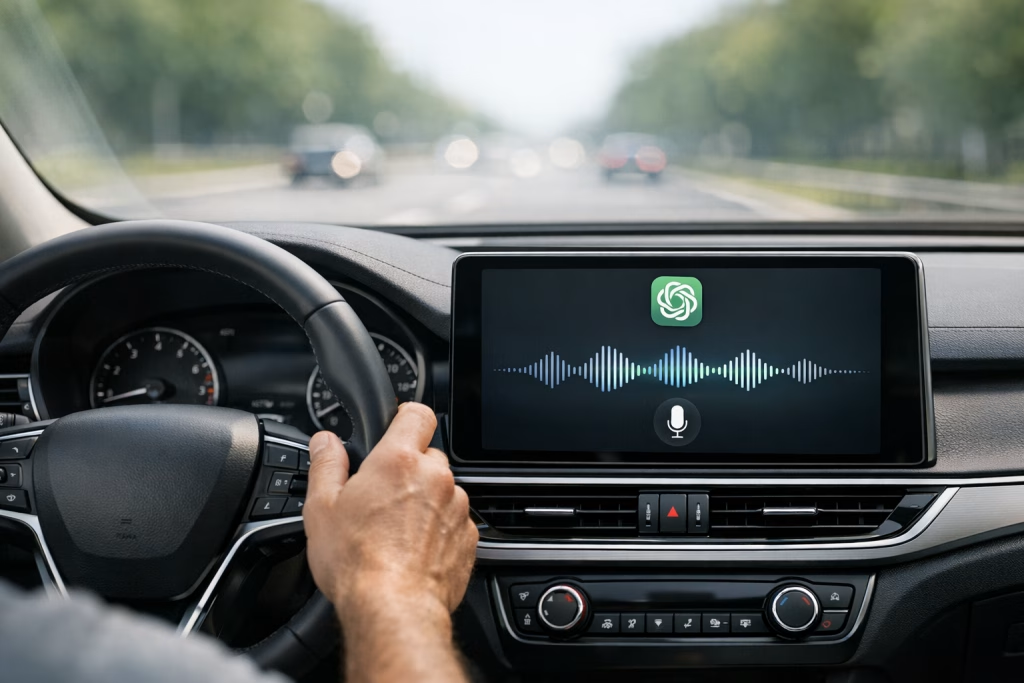
ChatGPT Voice Mode Hits CarPlay for Seamless On-the-Go Help
When I first saw OpenAI’s announcement that ChatGPT is now available in CarPlay, my mind went straight to the real, everyday moments where your hands are busy and your attention should stay on the road. The post was simple and specific: voice mode you already know, now available while driving, rolling out to iPhone users on iOS 26.4+ where CarPlay is supported.
If you use CarPlay regularly, you already know the value of a clean interface, big tappable targets, and audio-first interactions. Add a capable voice assistant into that mix and you get something genuinely practical—especially if you run a business, handle sales calls, manage field work, or simply try to stay organised without pulling over every ten minutes.
In this article, I’ll walk you through what the announcement means, how to think about it sensibly (without hype), and how you can turn “voice help in the car” into measurable business outcomes using AI automations built in make.com and n8n. I’ll also share the guardrails I use so you don’t accidentally build a distraction machine.
What OpenAI Actually Announced (and What It Implies)
The source statement is straightforward: ChatGPT is now available in CarPlay, using the voice mode experience, rolling out to iPhone users running iOS 26.4+ in regions where CarPlay works.
That gives us a few safe conclusions:
- There is an official CarPlay availability path for ChatGPT voice mode (not just a workaround).
- It’s tied to an iPhone requirement: iOS 26.4+.
- It depends on CarPlay support in your vehicle/region.
What the announcement doesn’t do is list every vehicle model, every UI detail, or every limitation. So, I won’t invent those specifics. Instead, I’ll focus on what you can do today as a marketer, sales leader, or ops person once a voice-first assistant becomes easier to access in a car setting.
Why This Matters to Marketers and Sales Teams
I’ve worked with teams where commuting time, on-site travel, and “between meetings” time add up to hours each week. Historically, that time was either dead time or phone-call time. Voice AI in CarPlay nudges it toward something else: structured capture and fast decision support, without requiring your laptop or even your phone screen.
If you’re in sales, you can recap calls, draft follow-ups, and keep your CRM notes fresh while the details are still in your head. If you’re in marketing, you can capture campaign insights the second they occur—because inspiration rarely waits for your desk chair.
Practical Use Cases for ChatGPT Voice Mode in CarPlay
Let’s keep this grounded. The best use cases in the car share three traits:
- Low cognitive load (you shouldn’t be solving spreadsheets at 70 mph).
- High value per minute (short inputs, useful outputs).
- Clear next action (something you can save, send, or schedule once you arrive).
1) Post-Meeting or Post-Call Recaps (While It’s Fresh)
This is the big one I see in real teams. You leave a client site or finish a call, and you’ve got ten details you’ll forget by lunch. With voice mode, you can dictate a recap in plain English:
- What the prospect cares about
- What objections came up
- What you promised to send
- Who needs to approve internally
- Next meeting date (or what you need to propose)
Then you can ask ChatGPT to turn it into a tidy summary built for your CRM notes or a follow-up email draft. The “magic”, for me, is not the draft itself—it’s that you capture the truth while it’s still warm.
2) Voice-Based Follow-Up Drafts (Email and Message Templates)
You keep the prompt short and consistent. Something like:
- “Draft a polite follow-up email. Keep it to 120 words. Mention our agreed next step: send the proposal by Thursday. Tone: professional, friendly.”
When you arrive, you copy, review, and send. You stay compliant with common sense: you don’t send anything you haven’t read. Still, you save time and you keep momentum.
3) Quick Competitive Positioning Notes
If you’re driving back from a pitch and you heard a competitor’s name, you can ask for a quick framing: typical strengths, typical weaknesses, questions to ask next time. I’d keep it light and use it to build a list of talking points, not as “fact”. Markets change, and you don’t want to parrot something outdated.
4) Campaign Brainstorming (Short, Portable Ideas)
Marketing ideas often arrive at annoying times—like when you’re stuck behind a tractor. Voice mode helps you capture them quickly:
- Hooks for an ad
- Angles for a landing page
- Video script outline
- Subject lines for a sequence
I like to ask for five options, then pick one to refine. It keeps your mind from wandering too far and turning your commute into a philosophy seminar.
5) On-the-Go Coaching for Sales Conversations
Before a meeting, you can rehearse: objections, questions, negotiation boundaries. You can ask for a short checklist:
- Discovery questions
- Red flags to watch for
- How to summarise value clearly
This works best when you provide a tiny bit of context—industry, deal size, and the decision maker’s role—without oversharing sensitive data.
Safety and Attention: How I’d Use Voice AI Without Making Driving Worse
I’m going to be blunt: the road deserves your full attention. Voice systems help, but they can also tempt you into complex interactions. I’ve tested enough voice tools to know that once you get a good answer, you’ll want a better one. That’s the trap.
My Rules of Thumb
- Keep tasks short: one prompt, one response, then stop.
- No deep analysis while driving: save it for later.
- Don’t handle sensitive information out loud if passengers can hear or if you’re in a public area.
- Never rely on AI for driving decisions (routes, road closures, hazards) unless you verify through appropriate navigation or official sources.
If you manage a team, set expectations. “Talk to the assistant” should never mean “multitask until you miss a cyclist.” British understatement here: that would be a rather poor trade.
Where This Becomes Business-Critical: Turning Voice into Workflow
The moment you can reliably capture spoken notes, you can turn them into structured data. And once you have structured data, you can automate. That’s where we (at Marketing-Ekspercki) usually enter the picture: not as people who “play with AI”, but as people who build repeatable, trackable workflows using make.com and n8n.
Here’s the principle I use: Voice is for capture. Automation is for execution.
A Simple Flow That Actually Works
Imagine you dictate a recap after a meeting. The workflow can:
- Store the transcript in a dedicated inbox or notes database
- Extract fields (company, contact, next step, deadline)
- Create tasks in your task manager
- Draft a follow-up email and save it as a draft
- Update the CRM record
- Notify your team in Slack or Microsoft Teams
That’s not science fiction. It’s practical automation design. The hard part is choosing what you’ll standardise, and what you’ll leave as free-form.
Automation Ideas for CarPlay Voice Capture Using make.com
make.com is brilliant when you want speed and clarity: modules, scenarios, and a visual builder that helps business users understand what’s happening. When I design Make scenarios for voice-captured input, I focus on two things: reliable ingestion and clean output.
Scenario 1: “Voice Note to CRM Update”
Goal: turn a dictated meeting recap into CRM notes and tasks.
- Trigger: new note arrives (email, form submission, or app-based note capture)
- Text processing: summarise + extract fields (next step, date, stakeholders)
- Action: update CRM record (notes + next task)
- Action: create calendar reminder and a task
I build this with an “error bucket” so if extraction fails, it routes to a human review queue. You don’t want half-baked tasks quietly polluting your pipeline.
Scenario 2: “Follow-Up Draft Builder”
Goal: take your dictated bullet points and produce a ready-to-review email draft.
- Trigger: new recap note with tag “FOLLOW-UP”
- AI step: generate a draft using your brand voice rules
- Action: save draft in Gmail/Outlook (not send)
- Action: notify the owner with a link to the draft
Saving as draft is the polite, grown-up move. It keeps quality control where it belongs: with you.
Scenario 3: “Field Sales Debrief to Dashboard”
Goal: feed leadership with real-time qualitative insights.
- Trigger: “debrief” voice note submitted
- AI step: classify sentiment and topic (pricing, product fit, onboarding, competition)
- Action: write rows to Google Sheets / Airtable
- Action: update a weekly summary message to leadership
If you ever tried to get salespeople to fill forms consistently, you already know why voice capture can help. Lower friction, better compliance, fewer “I’ll do it later” moments.
Automation Ideas for CarPlay Voice Capture Using n8n
n8n shines when you want more control: branching logic, self-hosting options, custom code, and deeper integrations. When I build n8n workflows around voice capture, I often include stricter validation and data governance.
Workflow 1: Structured Extraction with Validation
Goal: ensure every captured note becomes a consistent data object.
- Trigger: webhook ingestion (your app sends transcript + metadata)
- AI step: extract into JSON (company, contact, stage, next_action, due_date)
- Validation: check required fields; if missing, request clarification message
- Write: CRM + database + task system
This is where n8n’s branching is a joy. You can treat data quality as a first-class requirement, not a hopeful afterthought.
Workflow 2: “Do Not Store Sensitive Data” Filter
Goal: reduce risk if people accidentally dictate private data.
- Detect: patterns that look like personal IDs, card numbers, or other sensitive strings
- Action: redact before storage
- Action: notify the user that the note was partially redacted
I’ve seen teams become far more confident once they know the workflow has some basic guardrails. It won’t catch everything, but it’s better than pretending humans never slip up.
SEO Angle: What People Will Search For (and How You Can Capture Demand)
If you publish content or sell services related to AI productivity, this update opens fresh search intent. People will look for practical guidance, not press-release echoes.
Search Topics Worth Targeting
- ChatGPT CarPlay (feature availability, requirements)
- ChatGPT voice mode in car (use cases, safety tips)
- iOS 26.4 CarPlay ChatGPT (rollout and compatibility)
- AI voice assistant for sales reps (real workflows)
- make.com automation for sales and n8n CRM automation (implementation)
From an SEO standpoint, I’d write at least two supporting pieces around this news:
- A short “setup and requirements” post (fast to rank for long-tail)
- A deeper “workflows for sales/marketing teams” guide (evergreen)
Then interlink them, add a small glossary, and keep updating compatibility details as official sources change.
How I’d Implement This in a Real Company (A 7-Day Plan)
I’m assuming you don’t want a six-month “innovation project”. You want something that works this month and doesn’t annoy your team.
Day 1: Pick One Use Case and One Team
- Choose: post-call recap, follow-up drafts, or debrief dashboard
- Choose: one small group (3–8 users)
In my experience, a pilot fails when it tries to please everyone. Pick a lane.
Day 2: Define the “Minimum Useful Note” Format
Give people a short script. For example:
- Company:
- Contact:
- Goal:
- Objection:
- Next step:
- Deadline:
It sounds boring. It works.
Day 3–4: Build the Automation Skeleton (Make or n8n)
- Ingest transcript
- Store raw text safely
- Generate summary
- Create one output (task or draft)
Keep it tight. You can always add extra branches later.
Day 5: Add Review and Error Handling
- Create a “Needs Review” queue
- Notify the note owner when parsing fails
- Log errors with timestamps
This is where automation becomes dependable rather than merely exciting for a demo.
Day 6: Team Training (15 Minutes, Not an Afternoon)
- Show 2 examples of good voice notes
- Show 1 example of a bad one (and how to fix it)
- Explain privacy boundaries
I keep training short because adults learn by doing, not by sitting through slides.
Day 7: Review Results and Adjust
- Time saved per follow-up
- CRM completeness
- Task completion rate
- User feedback (what felt awkward)
If the pilot helps, expand. If it irritates people, refine the capture script and outputs before you scale.
Data Privacy and Compliance: The Bit You Shouldn’t Hand-Wave
Voice AI raises two immediate concerns: what you say and where it ends up. In regulated industries, you’ll want a clear policy and a workflow that supports it.
What I Tell Teams to Avoid Dictating
- Personal identification details
- Payment data
- Passwords, API keys, or access codes
- Confidential contract language (unless your policy explicitly allows it)
Yes, it’s obvious. Yes, people still do it when they’re tired. That’s why filters, redaction, and drafts (not auto-send) matter.
Retention and Access
If you store transcripts, set retention rules. Give access only to the people who need it. If you’re self-hosting n8n, lock it down properly and keep audit logs. I’ve learned the hard way that “we’ll tidy it up later” tends to mean “we’ll discover it during an incident”.
Content Marketing Opportunities: Turn a Product Update into Leads
If you sell marketing services, sales enablement, or AI automations, this CarPlay update gives you a timely reason to publish. Timely helps, but only if the article has depth and real examples.
Lead Magnet Ideas That Fit This Topic
- Sales Call Debrief Template (voice-friendly script)
- Follow-Up Email Prompt Pack (10 prompts, 3 tones)
- Make.com Scenario Blueprint (diagram + modules list)
- n8n Workflow JSON (starter with validation paths)
I like simple assets that you can implement in an hour. If you offer something that takes a week to set up, fewer people will try it, and you’ll get less feedback.
A Sensible CTA (That Doesn’t Feel Pushy)
If you’re writing as a business, keep the call-to-action specific:
- Offer a 30-minute workflow review
- Offer a “voice note to CRM” pilot build
- Offer an audit of current sales admin time
People respond to a clear outcome. They ignore vague promises.
Troubleshooting Mindset: What Usually Goes Wrong
I’ve watched plenty of teams adopt new tools, then quietly abandon them. Not because the tools are bad, but because the workflow design is sloppy.
Common Failure Points
- Inconsistent input: people dictate different formats, extraction fails.
- No review step: AI writes drafts that feel “off” and users lose trust.
- Too many outputs: one note creates ten tasks and everyone rebels.
- Weak ownership: nobody maintains prompts, rules, and fixes.
What I Do Instead
- Standardise the voice note format (short script)
- Start with one output (draft OR task OR CRM note)
- Use a human review queue for edge cases
- Track a simple metric: “minutes saved per week”
It’s not glamorous, but it’s how you get adoption that lasts beyond the first fortnight.
How This Changes the “AI Adoption” Conversation Inside Companies
In many organisations, AI still lives at the desk: prompts in a browser tab, a few experiments, maybe a neat internal demo. Car-based access nudges AI into the overlooked spaces of the day—commutes, site visits, travel between meetings.
That shift matters because it changes who benefits first. It’s not just analysts or marketers at their keyboards. It’s also:
- Field sales
- Account managers
- Consultants travelling to clients
- Service teams and operators who live on schedules
If you lead a team, you can treat this as an opportunity to reduce admin load and improve consistency—without asking people to spend more time “doing AI”. You simply move bits of work into moments that already exist.
My Recommended Prompt Patterns for CarPlay Voice Use
Prompts for in-car voice use should be short, structured, and hard to misinterpret. I keep a few patterns that I reuse.
Pattern A: “Summarise + Next Actions”
- “Summarise this in 6 bullets. Then list next actions with owners and deadlines. Here are my notes: …”
Pattern B: “Draft Follow-Up”
- “Draft a follow-up email under 130 words. Mention: [points]. Tone: professional, warm. End with two time options for a call.”
Pattern C: “Turn Into CRM Fields”
- “Extract: company, contact, pain points, budget signal, timeline, next step. Return as simple labels.”
Then I feed those outputs into automation. Consistency beats cleverness.
Final Notes on Availability and Expectations
OpenAI’s post says the rollout targets iPhone users running iOS 26.4+ where CarPlay is supported. Rollouts can be gradual. Regional availability can differ. Some functions may vary depending on device settings and app permissions. I’m deliberately staying within what’s been stated publicly and what we can infer responsibly.
Still, the direction is clear: voice-first AI is moving into everyday contexts. If you run marketing and sales operations, you can either treat that as a curiosity or treat it as a workflow opportunity.
When I build systems for teams, I don’t start with the tool. I start with the moment that wastes time: the half-remembered meeting detail, the sloppy CRM note, the follow-up that goes out two days late. CarPlay voice access doesn’t magically fix those problems, but it makes it easier to capture the raw material. With make.com or n8n, you can turn that material into orderly action.
If you want, tell me what you use today for CRM, email, and tasks (and whether you prefer make.com or n8n). I’ll propose one concrete automation that fits your stack and keeps driving safety front and centre.