
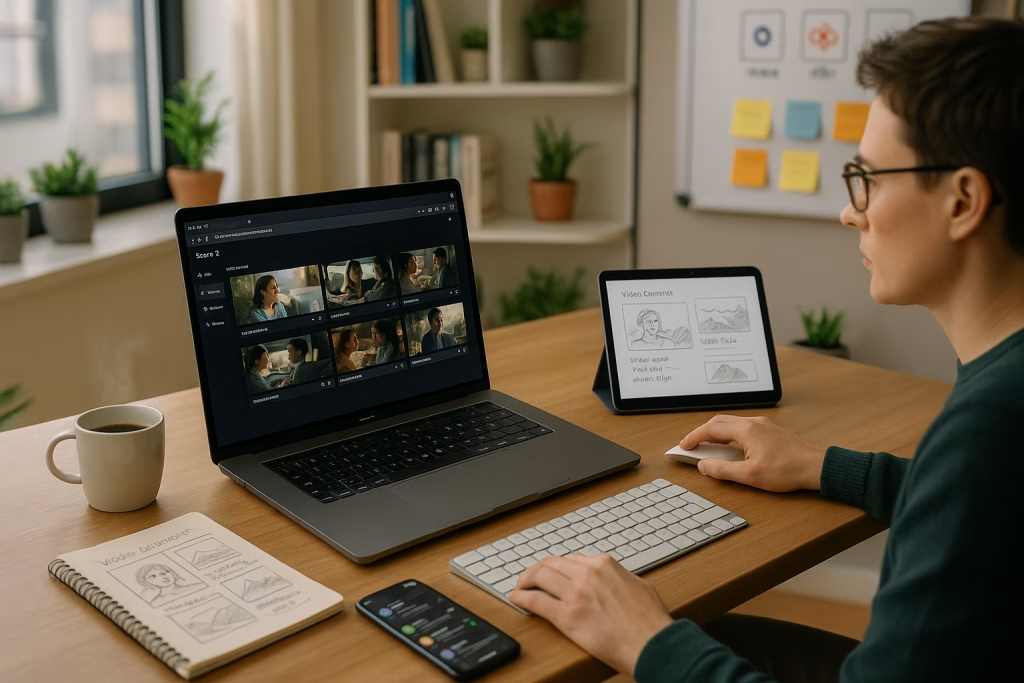
Sora 2 Storyboards Unlock New Horizons for AI Video Creators
As someone deeply engaged in both marketing and the intricacies of content automation, I couldn’t help but notice the latest buzz around Sora 2’s storyboard update from OpenAI. If you’re anything like me—always on the hunt for a tool that can genuinely streamline video production—this leap forward deserves a close look. In this article, I’ll share my hands-on impressions and walk you through how Sora’s storyboard features make AI-generated video more accessible, efficient, and, dare I say, a bit more creative for both seasoned professionals and digital newcomers.
What’s the Big Deal About Sora 2’s Storyboard Update?
Let’s not beat around the bush. In autumn 2025, OpenAI rolled out a fresh phase for its video platform, introducing storyboarding capabilities right inside the browser—no third-party apps required. Suddenly, planning, visualizing, and altering a video became more like digital play than technical labor.
No more toggling between tools: you describe a scene, set the duration, and Sora drafts a visual outline almost instantly. My first run-through had me grinning—here was a system that worked how I wished other creative platforms would.
What Are Storyboards in Sora 2?
Most of us have come across storyboards in film production. They’re a grid of images, each sketch representing a moment in the eventual film. Sora 2 brings that analog tradition online, giving you:
- Storyboard creation inside your browser – No installation, no fuss.
- Frame-by-frame control – Plan your content second by second, adjusting scenes and timing with ease.
- AI-powered suggestions – Create rough outlines in a flash and tweak them to fit your vision.
- Immediate editing and revision – Alter scenes, swap images, or change pacing mid-flow, never losing context.
For me, it felt familiar—almost reminiscent of old-school storyboarding—but distinctly empowered by AI’s ability to leapfrog over tedious drafting. No more hand-drawing each frame, no more endless file saving. Everything’s live, collaborative, and ready for the next step the moment you’re satisfied.
How Sora 2 Empowers Longer Videos with Greater Flexibility
The ability to produce longer clips has been a top request across the content creation spectrum, and Sora 2 delivers with style:
- All users: Up to 15 seconds of generated footage, accessible via app or browser.
- Pro users: Up to 25 seconds per clip when working through the web platform.
I’ve tested these limits myself, and they’re more substantial than they sound. In short-form platforms like TikTok or Instagram, a well-cut, 20-second video can reach millions. Those extra seconds can mean sharper storytelling, trickier punchlines, or just the breathing room needed to stand out amidst a million scrolling thumbs.
Why Does This Matter?
Here’s what truly resonated with me:
- Marketing teams can produce more sophisticated campaigns in less time.
- Educators finally have enough “canvas” for richer explainer videos or scenario reenactments.
- E-commerce managers can show products from all angles or stage mini-unboxings.
- Independent creators (like me) get the power to experiment rapidly, iterate, and improve—all within a single space.
Short videos play right into the hands of today’s digital landscape. I found it refreshing to create promos that fit platform standards without wrestling against artificial time limits.
The Workflow: Creating with Sora’s Storyboards
Here’s how my typical session with Sora 2 pans out. It might seem breezy, but the devil’s in the detail, as British folks often say.
- Draught the Outline.
I jot down the story beats—either bullet points or full descriptions, depending on my mood and the complexity of the piece. - Map Out Scenes.
Using Sora’s interface, I describe each moment, set its timing, and let the AI whip up some initial visuals. - Apply a Consistent Visual Style.
If I want an animated look, vintage wash, or hyper-realism, it’s a simple selection at the outset. Sora ensures every frame stays on-theme. - Edit and Iterate.
This is my favourite part. I can shuffle shots, adjust the narrative pace, and delete or insert scenes—all seamlessly, without losing coherence. - Render and Export.
A click of a button, and the storyboard becomes a full AI-generated video. There’s something deeply satisfying about seeing your outline take shape in real time.
Time-wise, it’s night and day compared to my old process. What took hours now takes minutes, freeing me up for proper brainstorming or a nice cup of tea…
Practical Benefits for Marketers and Creators
A Marketer’s Best Mate
Anyone wrangling with tight deadlines and shrinking budgets will appreciate this: OpenAI claims (and my own experience supports) that Sora’s workflow can reduce video campaign costs by up to 30%. Less faffing about with drafts, fewer “could you move that left a bit” emails, and much less time in production bottlenecks.
In real terms:
- Rapid prototyping – Ideal for quick A/B tests on phrases, visuals, or branding.
- Real-time iteration – Adjust to feedback during client consultations, sometimes before they’ve put the kettle on.
- Agile campaign launches – Respond to moments as they happen; no more waiting days for basic edits.
From my own campaigns, I’ve managed to test multiple variations of product reels in an afternoon, not a week—a tangible saving in resources and my own sanity.
Educational Powerhouse
When helping trainers or teachers, I found Sora’s storyboard function perfect for visualising lesson plans or creating scenario-based training. Whether you’re building interactive tutorials or dramatized case studies, drawing out storylines frame by frame makes for clearer, more engaging content.
Besides, students respond better to content that “shows” rather than “tells”—visual learning, as they say, sticks with you.
E-Commerce and Product Demos, Upgraded
If you’re managing online shops, Sora lets you prototype video walkthroughs and product highlights rapidly. Explain the value of a gadget, show its unboxing, or zoom in on unique features—all within a storyboard you can edit live as if swapping Lego bricks. Those quick changes keep client costs down and allow for last-minute tweaks, which any shop manager will admit are par for the course.
Content Creation for Social Media—The Fun Bit
As an avid Instagram user myself, I’ve played with Sora to create flashy intros or bite-sized “explainer” clips. The tight integration—and the ability to instantly share or tweak for various platform formats—means less time bogged down in technicalities, more time fiddling about with actual content and captions. That’s the sweet spot, especially for solo creators or small agencies on the rise.
Strategic Advantages for Automated Marketing
Having worked with a wealth of clients at Marketing-Ekspercki, I can confidently say that Sora 2’s storyboarding fits hand-in-glove with workflow automation—especially when paired with tools like make.com or n8n.
Real-World Workflows
Let me walk you through how I’ve slotted Sora 2 into automated business pipelines:
- Content briefs arrive via form submission.
- Scripts and basic outlines land in Sora through API links (using make.com).
- Storyboards are generated, reviewed, and fed back into our content management system.
- The rendered videos are automatically loaded to our campaign platforms or social channels.
- KPI metrics roll in—neatly, thanks to automation—and the cycle begins again.
This joined-up system lets me focus on creative oversight, not data entry, and ensures a level of quality and agility that’s hard to beat. If you’re chasing both scale and personalisation, this pairing delivers the goods.
Not All Sunshine and Rainbows: Limitations and Challenges
Now, as much as I’d like to wax lyrical, no tool is without its quirks or pitfalls. Sora 2 has a few worth keeping in mind.
Intellectual Property Risks and Watermarking
When AI helps produce near-instant visuals, there’s a risk of accidentally echoing existing work—sometimes a riff too close for comfort. Sora 2 encourages the placement of watermarks, which is a sensible norm for any publicly distributed material. Still, creators must keep their wits about them to avoid copycat controversies and ensure ethical standards are upheld.
Resource Hogs and Patience Trials
Bumping up video length from 15s to 25s, particularly with high-fidelity assets, comes at a computational cost. Generating a long video can eat up 50% more resources, and you might find rendering times creeping up, especially during peak hours. For many routine uses, this isn’t a deal-breaker. But if you’re juggling tight client deadlines, it’s wise to factor in the possibility of these occasional slow-downs. I’ve learned to queue renders toward the end of my creative sessions, treating it as a coffee break rather than a disaster.
Comparing Sora Storyboarding to Traditional Methods
Traditional Storyboarding: Slow but Intimate
Old-school storyboarding—whether by hand or through digital graphic tools—offers one undeniable benefit: a tactile sense of creation. If you love the smell of graphite and the drag of a pencil, you’ll miss that. However, the process is slow, disconnected from your final output, and relies heavily on file management and cross-app compatibility.
Sora’s Approach: Integrated and Lightning-Fast
- Total control, minimum clickage – Everything’s in one digital workspace.
- Direct-to-video workflow – No exporting, no imports, just smooth progression.
- Editable at any stage – Adapt instantly to changing circumstances or client wishes.
For me, the Sora workflow has turned the storyboard stage from a necessary evil into something akin to creative playtime. There’s real joy in adjusting a project on the fly and seeing instant results—a bit like finally finding the light switch in a familiar room that’s always been just too dark.
Current Trends and Competitive Landscape
This sector isn’t a one-horse race. Meta, Adobe, and other heavyweights are hot on OpenAI’s heels, bringing their own video generation and editing tools to market. Still, Sora’s slick integration and extensibility offer it something of a head start. I’ve noticed that educators, marketers, and content agencies are beginning to treat it as the “default” for rapid prototyping.
What I’m keeping an eye on, though, is OpenAI’s interest in integration—with cloud computing giants, for instance. It appears they’re not only future-proofing Sora for heavier, more ambitious projects but also preparing the ground for a hybrid work environment where VR and real-time feedback could become the expected norm.
My Take: Who Should Use Sora 2 Storyboards?
I’ll cut to the chase: Sora 2’s storyboards aren’t just a fancy add-on for video pros. They bring genuine value to:
- Agencies chasing margin and creative flexibility – Cut down on the “grunt work” and focus on big ideas.
- Freelancers and solopreneurs – Build eye-catching content quickly and match the output of larger competitors.
- Corporate training and L&D teams – Roll out interactive scenarios and adapt on the fly as material or regulations change.
- E-commerce managers – Generate fresh product videos for seasonal hits and campaigns without breaking a sweat.
- In-house marketing teams – Speed up their feedback loop and iterate in real time.
I’ve already shifted the bulk of my campaign prototyping to Sora 2. And yes, the little details (like embedding your own branding, swapping visual styles on the fly, and cross-platform outputs) make all the difference on deadline day.
Future Directions: What’s Next for AI Video and Storyboarding?
The pace of progress here is frankly dizzying. Early signals from OpenAI suggest they’re betting big on:
- Interactive, real-time video editing – Adjust shots on the go without starting from scratch.
- VR integration – Imagine stepping “into” your storyboard, tweaking scenes as though you’re the director on set.
- Intelligent content moderation and copyright protection – Smarter algorithms to nip duplicates and infringements in the bud.
- API-driven, automated content pipelines – Even tighter linking to business tools, CMS, and analytics platforms.
I, for one, am keen to see how the cross-pollination between Sora 2, cloud services, and collaborative workspaces will reshape “everyday” video production. Frankly, it’s an exciting time to be tinkering with these tools—the sort of era that storytellers a decade ago could only dream about.
Wrapping Up with a Nod to Everyday Use
Sora 2’s introduction of storyboards has changed my own practice and, I suspect, will soon reshape the workflows of thousands. Whether you’re prototyping a new brand, educating a class, or rolling out a cheeky product demo, the blend of human intuition and machine generation has never felt sharper. This update is no mere novelty; it’s an essential piece of kit for anyone hoping to thrive amidst the video gold rush.
If you’re already stretching your creative muscles with short-form video, give Sora’s storyboard tools a whirl. It’s not just about saving time and money—it’s about rediscovering the thrill of swift creation, unburdened by technical faff. And if you spot me online, elbow-deep in my latest marketing puppet show or educational skit, you’ll know exactly which tool I reached for first.
So, shall we all raise a mug to better, brighter, and smarter video content? I know I will.