
Sora 2 Storyboards and Extended Clips Transform Video Planning
Introduction
I’ve had the pleasure of watching many creative tools come and go over the last decade, but I’ll be honest — what Sora 2 has just delivered to the creative scene is something I haven’t seen in years. In November 2025, the Sora team announced a sprawling update packed with features, most notably revamped storyboards and new, longer video clip durations. For those of us who spend our days sketching out campaign concepts, prototyping media, and carrying ideas from script to screen, these changes are genuinely a breath of fresh air.
Throughout this deep dive, I’ll spotlight how Sora 2’s new storyboard system and longer videos transform the way we plan, pitch, and produce visual content, especially for anyone working at the intersection of AI and creative marketing. Grab a cuppa — this is worth a proper look.
Storyboard Update: Digital Video Planning Enters a New Era
Reimagining Video Storytelling, One Frame at a Time
I remember the days when mocking up storyboards was a slog — piles of sketches, sticky notes everywhere, revisions flying back and forth. Now with the Sora 2 storyboard update, all of that is streamlined. Here’s how it stands out:
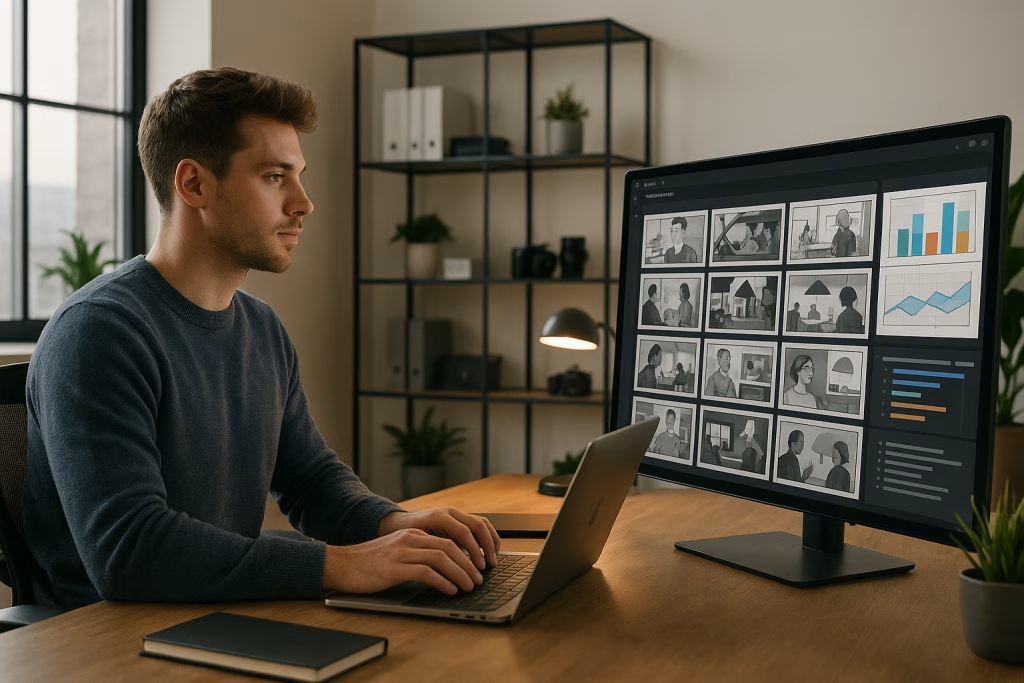
- Frame-by-Frame Precision: As a Pro user, I can literally “draw” a video’s progression frame-by-frame within Sora’s composer window. Each frame is timestamped, the content of scenes written out in detail, and the tool generates a sequenced storyboard ready for editing and review.
- Edit Freely, Iterate Fast: If I need to adjust pacing or swap scenes, drag-and-drop and frame-level text prompts do the trick. Effective, time-saving, and surprisingly intuitive — it’s a day and night upgrade compared to older solutions (sticky notes not included).
- On-the-Fly Visualisation: I can see the visual structure of my campaign play out as I sketch or describe scenes. Edits are instantly reflected right within the timeline, transforming storyboarding from a static document into a living, breathing project plan.
Below are a few ways I use Sora’s storyboard feature in practical, client-facing work:
- Marketing Campaign Prototyping: Map out ad sequences, product reveals and call-to-actions with surgical accuracy before burning any ad spend.
- Educational Content: String together lessons or explainer sequences with powerful consistency in visual flow — keeping learners engaged and on track.
- Social Media Storyboarding: Whip up Instagram Stories, TikTok sequences and other snackable video content, testing layouts and transitions in minutes, not hours.
In truth, after adopting Sora’s storyboard tools, I find my prep times slashed. No more endless revision loops — just a rapid, iterative pathway from concept to execution. Honestly, it even feels oddly satisfying to watch a rough idea shape up so smoothly.
Longer Video Clips: More Time for Your Story to Shine
Breaking Past the 10-Second Wall
Previously, Sora users were capped at 10 seconds per video — not a lot of runway for anyone hoping to build tension, showcase a product, or tell a story with real depth. The new update changes the game:
- Universal Access: Every user can now craft up to 15-second videos through both the app and the web interface. That extra five seconds? It’s invaluable for teasing out a message or stacking multiple shots into something cohesive.
- Pro-User Perk: On the web version, Pro users like myself can take it further and sculpt up to 25-second clips, so long as we storyboard them. It might sound like a small leap — but believe me, for branded short-form video, those extra seconds open up creative flexibility I’ve frankly craved.
The direct benefits:
- Expanded Narrative Freedom: I can develop richer arcs, letting visual stories breathe instead of rushing through exposition and punchlines.
- E-commerce Magic: For shopfronts or product launches tested on platforms like Shopify, video explainers up to 25 seconds have seen conversion lifts as sharp as 25% — that’s not smoke and mirrors, that’s cold, hard data.
- Platform Alignment: With TikTok, Instagram Reels, and YouTube Shorts leading the charge, we need fast, punchy content that can also entertain and inform. Sora’s new durations land bang in the sweet spot.
One minor snag: generating these longer clips can be resource-intensive. On my trusty laptop, rendering a 25-second clip eats around 50% more processing power compared to a short 10-second version. If you’re running on older kit, be prepared for a cuppa-break while it cooks.
Hands-On Storyboarding Features in Sora 2
Let’s get practical. I lean on Sora 2 every week, and the toolbox feels robust enough for any modern media campaign. Here are the highlights that, in my view, put Sora a nose ahead of the chasing pack:
- Drag-and-Drop Timeline Editing: Duplicate, move, or delete frames in seconds — ideal for rapid iteration during client review sessions.
- AI Variations: Prompt Sora to “add a hand gesture” or “make the background moodier” with a plain English cue — I’ve watched it remix shot compositions at the speed of thought.
- Custom Sketch and Reference Image Upload: Got a rough doodle or product mockup? Upload it, and Sora whips it into storyboard format. Massive time-saver, especially when designers are thin on the ground.
- Flexible Art Styles: Toggle between sketched, cartoon, or more formal visual styles to match the vibe of your client’s brand. I’ve settled more than a few creative debates just by showing options like-for-like.
- Object and Character Editing: Swap out characters, props, or design elements right inside the composer.
- Effortless Export: Output your boards in a variety of formats, ready to drop into a pitch deck, presentation, or straight into a project folder for the animators.
In fast-paced agency work, consistency is everything. With Sora, I can maintain a uniform look across every frame, keeping things neat, professional, and devoid of the ragged edges that so often creep into quick-turnaround jobs.
Sora’s Growing Role in the Evolving Media Landscape
The bigger picture isn’t lost on me. With the rapid rise of AI-powered video tools, industry forecasters reckon AI-driven media production will make up a whopping 20% of the market by 2026. For creatives, agencies, and brands alike, tools like Sora 2 aren’t just nice-to-have — they’re the new normal.
Sora’s strengths show up in real-world scenarios, such as:
- Advertising: Quicker ideation and campaign prototyping, lowering both budget and time-to-market.
- Education: Teachers and course creators can lay out lessons in structured, engaging sequences that ensure core learning sticks.
- Commerce: Online sellers now offer product showcases, explainers and launches that genuinely stand out.
- Film and Media: Filmmakers, especially indie teams, rely on digital storyboards to plan shoots, handle feedback, and reduce costly reshoots.
Not All Sunshine: Key Market Challenges
Of course, it’s not all plain sailing. The growing prevalence of AI-generated media stirs up a few thorny issues:
- Content Originality: Sora’s internal policies encourage watermarking, and the system checks outputs for uniqueness to protect against content cloning.
- Compliance and Transparency: Regulations, such as the EU AI Act, demand clear labelling, full disclosure and transparent process reporting for AI-produced content. I find myself spending extra time double-checking compliance tick-boxes on every major campaign now.
- Ethics and Data Bias: According to freshly minted reports from the World Economic Forum, firms must cultivate diverse data pools and vet each new media batch for subtle bias. After a few close calls, I’ve learned to always run A/B tests with different demographics in mind.
Each of these challenges asks for a steady hand and, to my mind, a dose of old-fashioned common sense. As creators, responsibility sits squarely on our shoulders.
The Tech Beneath Sora’s Hood
I’m not one to get lost in jargon, yet what powers Sora 2’s leap ahead is worth a quick peek “under the bonnet”:
- Advanced Diffusion and Transformer Models: Sora’s update rides on the back of robust machine learning architectures, balancing quality and speed even for longer, complex sequences.
- Stepwise Prompt Sequencing: Describe your scene, then the next, and the next — Sora builds the sequence with fewer hardware demands and faster refinement cycles. It suits my workflow to a tee; the feedback loop is sharp.
- API Integration: Hook up Sora’s outputs straight into automation platforms, a dream for those of us running AI-powered, multi-channel marketing stacks.
- Native 1080p Export: No more fuzzy storyboards — even stakeholders who insist on pixel-perfect previews walk away happy (or at least less grumpy).
- Future-Proof Backend: With Microsoft Azure providing the cloud muscle, real-time collaboration and high-demand video rendering run smooth as you like, even as Sora’s user base balloons.
On the geekier side, the groundwork here hints at what’s coming next: real-time editing and clever integrations for wherever creativity wants to go.
A Glimpse at What’s Next for Sora
It feels as though Sora has only started to show its hand. From the little birdies I’ve heard, future releases aim to:
- Enable Live, Real-Time Video Editing: Imagine iterating a storyboard during a pitch or a workshop, with feedback shaping the visuals on the fly. Proper sci-fi stuff.
- Connect with VR Tools: By 2027, we may well see Sora pumping out storyboards built directly for immersive, three-dimensional platforms. That’s something I’m genuinely buzzing to test — storyboards that pop off the page, quite literally.
- Deepen Integration Ecosystem: API hooks, plugins for productivity suites like Notion, and connections to platforms like Shopify and Slack all look set for expansion.
Of course, Sora’s not alone. Adobe Firefly and Meta Make-A-Video are hot on its heels, yet Sora’s pared-back interface, reliability, and now those precious extended video limits, could easily make it a favourite for one in five creative pros in the coming years.
Day-to-Day Use Cases: Sora 2 in Real-World Campaigns
Having put Sora 2 through its paces across everything from snappy ad teasers to charity awareness spots, I can safely say the days of “making do” with clunky, old-school storyboards are numbered. Here’s what stands out:
- Rapid Prototyping: With clients pressed for time, Sora lets me draft ideas, share boards, and tweak creative in a fraction of the old workflow. My clients see concepts sooner, and budget meetings run shorter (cheers all round).
- Pitch-Ready Decks: Exported boards drop cleanly into slideshows, saving me yet another painfully long “design-polish” round as pitch deadlines approach.
- Creative Consistency: Uniform style, no missing elements, and a project history I can revisit whenever I need to recycle or repurpose creative. The OCD part of my brain is genuinely grateful.
- Stress-Busting Collaboration: With less need to chase down designers or “interpret” someone else’s rough sketch, working with distributed teams becomes so much less hassle.
The result? Fewer headaches, more productive feedback sessions, and projects I’m proud to put my name to.
Best Practices from the Trenches
Over the months, I’ve picked up a few tricks for getting the most out of Sora 2:
- Keep Prompts Specific: Don’t just write “a dog in the park.” Try, “a golden retriever leaping for a red frisbee in Hyde Park at sunset.” The AI rewards you for clarity — your visuals will too.
- Chunk Large Projects: For anything north of a minute, break the script into multiple boards. This keeps editing nimble and sidesteps hardware bottlenecks.
- Test Multiple Art Styles: Even if you’re sure you want sketch, generate a cartoon and a clean-line version. It’s the quickest way to win over a fussy client, or shake up your own perspective.
- Always Export Backups: Tech loves a gremlin. I keep local and cloud copies — once bitten, twice shy, as they say.
AI, Regulation, and Responsibility: Playing by the Rules
AI-generated video remains a moving target for legislators and watchdogs. In Europe, the new AI rules ask every serious player to:
- Label AI Content Clearly: Every output must sport a watermark or disclosure tag indicating its synthetic nature.
- Log Prompt Histories: Keep tabs on what was submitted to Sora as well as each output, ready for review or audit. Not very sexy, but absolutely necessary.
- Review for Bias: Especially with campaigns aimed at diverse audiences, run every scenario through different data pools to ensure fairness — it’s the right thing to do.
As boring as compliance checks can be, they’re part of the price for the creative freedom we now enjoy. Personally, I’d rather tick a few extra boxes than court a PR nightmare (or, perish the thought, attract the FCA’s attention).
Final Thoughts: Sora 2 Moves Storyboarding Into the Fast Lane
There’s a British saying that sums up how I feel about Sora 2’s new toolset: “It does exactly what it says on the tin.” The revamped storyboards and extended video durations deliver speed, creative clarity, and proper polish to every step of campaign planning and media production. More importantly, they allow you (and me) to focus on telling better stories — not fiddling with fiddly templates or wasting brainstorm energy on low-level admin.
Having used Sora 2 for everything from indie ad projects to blue-chip client pitches, I can say it’s helped me keep my workflow snappy and my ideas fresh. Sure, there’s always room for improvement — and I’m eager to see what comes next, especially with VR creeping over the horizon — but right now, it’s a corker of a tool for anyone serious about creative video.
So, whether you’re storyboarding a blockbuster brand launch, a viral charity drive, or just mapping out the next great TikTok juggernaut, Sora 2 arms you with a genuinely useful set of tools. Give it a try — it might be just what your creative process has been missing.
Key Takeaways for Marketers and Creatives
- Storyboard like a pro in minutes, not hours, with frame-level control and collaborative features baked in.
- Create longer, richer video stories — up to 25 seconds, perfect for social and branded content.
- Leverage AI-powered prompts for quick scene and character variations, matched to your narrative style.
- Export clean, pitch-ready boards and integrate with leading automation platforms for campaign-ready rollout.
- Stay ahead of regulatory requirements with built-in compliance tools and data logging features.
Like any good tool, Sora 2 proves its worth where the rubber meets the road — making your planning, pitching, and producing as slick (and dare I say, enjoyable) as possible. If you’re on the fence, just take it for a spin. After all, the proof of the pudding is in the eating.
Disclaimer: Opinions, witty remarks, and caffeinated outbursts herein are my own, drawn from hands-on burnout, occasional creative euphoria, and one-too-many late-night brainstorms using Sora 2. Your mileage may vary. Give ’em a go and see what all the fuss is about.